
Static IPs
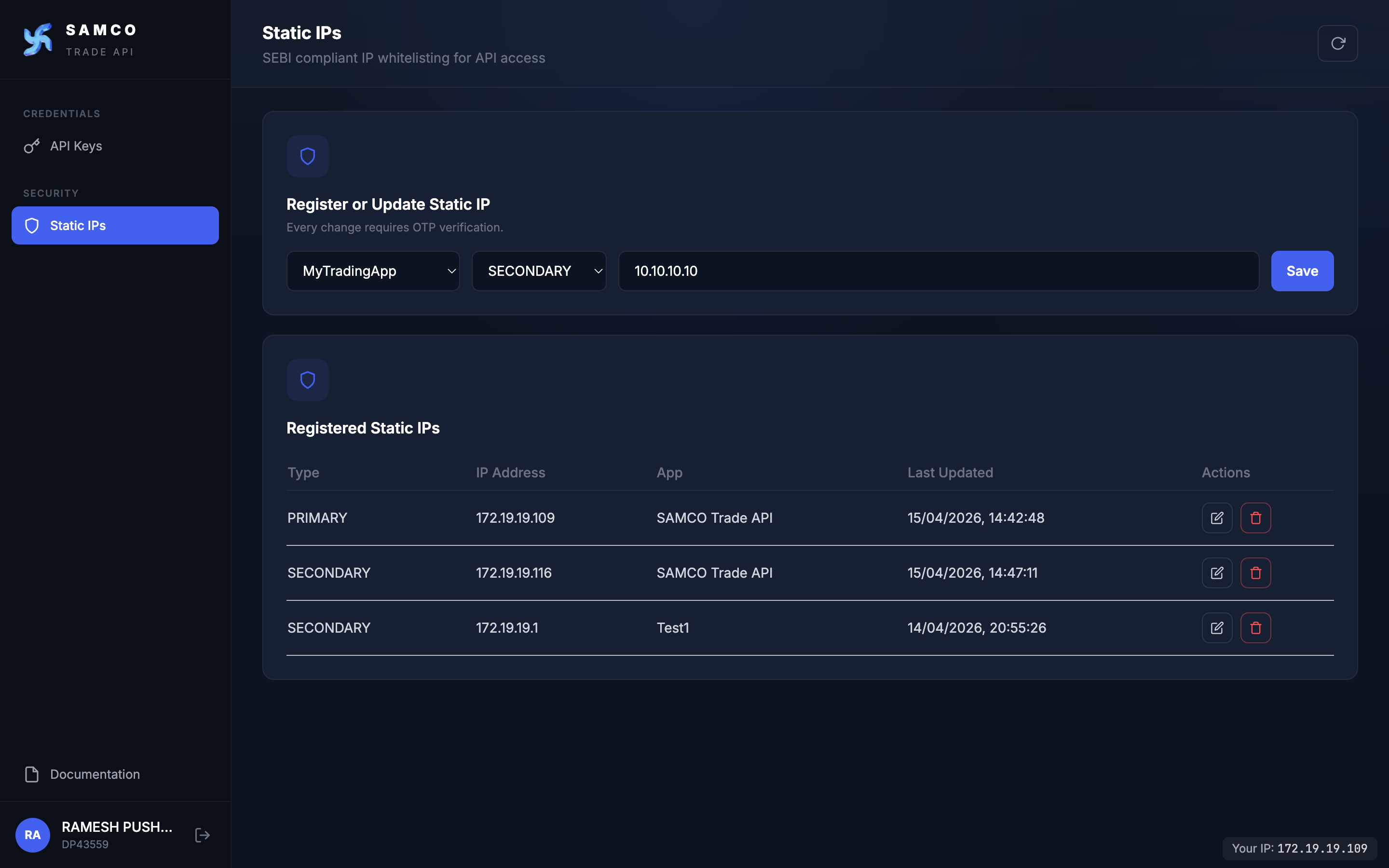
The Static IPs section lets you whitelist the IP addresses that are allowed to make requests to the Samco Trade APIs on behalf of your OAuth app. Any request from an IP that is not on your whitelist is rejected.
This is a regulatory requirement: SEBI circular SEBI/HO/MIRSD/MIRSD-PoD/P/CIR/2025/0000013 (4 Feb 2025) and the NSE implementation standards in circular NSE/INVG/67858 (5 May 2025) require brokers to permit API access only through a unique API key paired with a static IP whitelisted by the broker, so that every algo order can be traced back to the algo provider and the end client. Both circulars are available on the SEBI and NSE archives (search by the circular reference number).
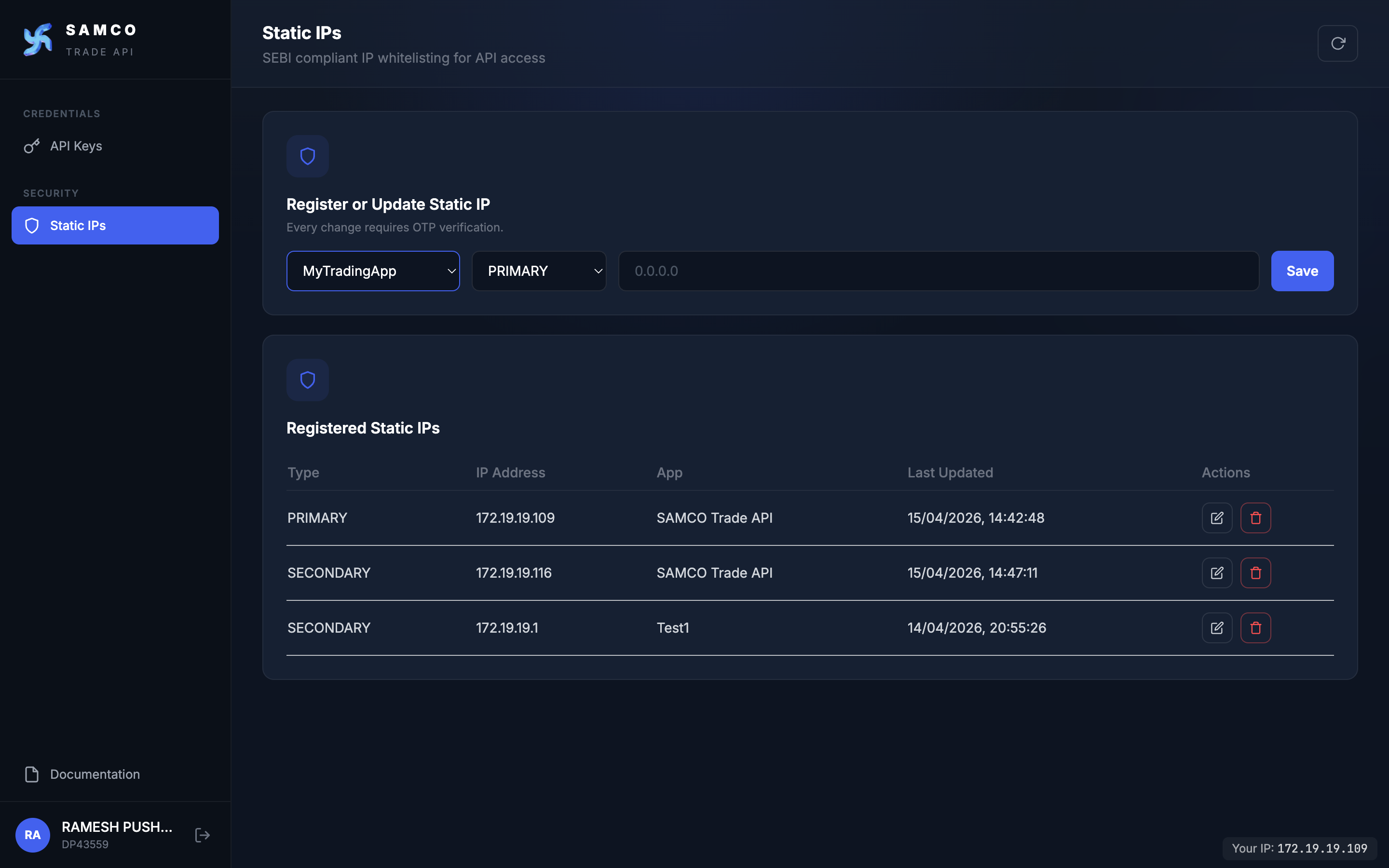
Each OAuth app can have:
- One Primary IP address (required)
- One Secondary IP address (optional backup)
Registering a Static IP
- On the Static IPs page, click Add IP.
- Fill in the form:
| Field | Description |
|---|---|
| App | The OAuth app this IP belongs to. |
| IP Type | PRIMARY or SECONDARY. |
| IP Address | A valid public IPv4 address (e.g. 203.0.113.42). |
- Click Save. Enter the OTP when prompted.
- The IP is registered and shows a Last updated timestamp.
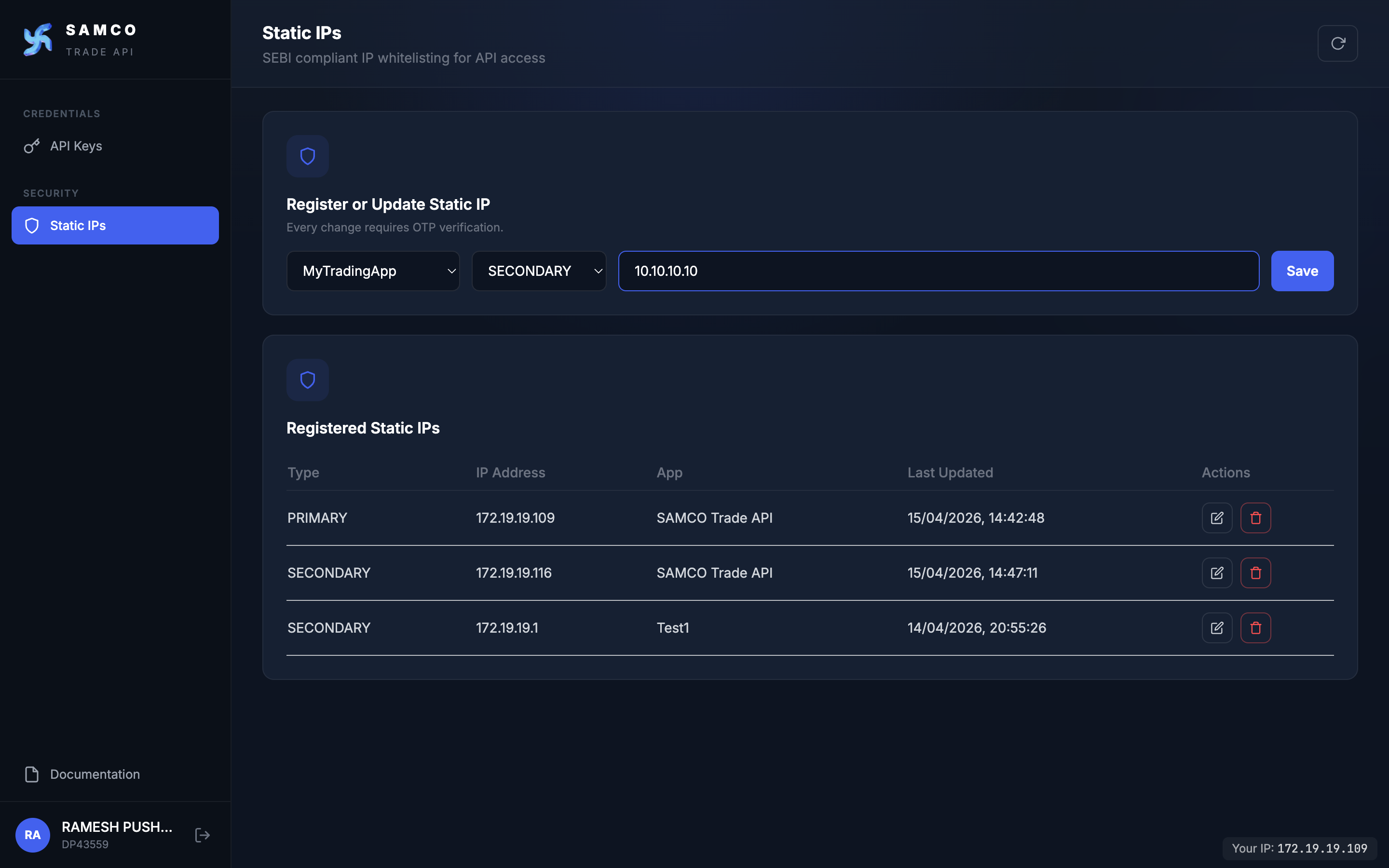
Use the IP shown in the dashboard footer
Every dashboard page shows a small chip in the bottom-right corner of the screen:
Your IP:
203.0.113.42
This is the IP our server sees you from — the exact value that will be validated when you call the Trade APIs from this machine. Hover the chip for a reminder: "This is the IP our server sees you from. Register this IP under Static IPs if you plan to call the Trade APIs from this machine."
Prefer this over any third-party IP-lookup site, which can show a different address when you are behind NAT, a corporate proxy, or CGNAT.
For programmatic verification from each backend host (multi-pod deployments, fallback hosts), call GET /ip/whoami from that host.
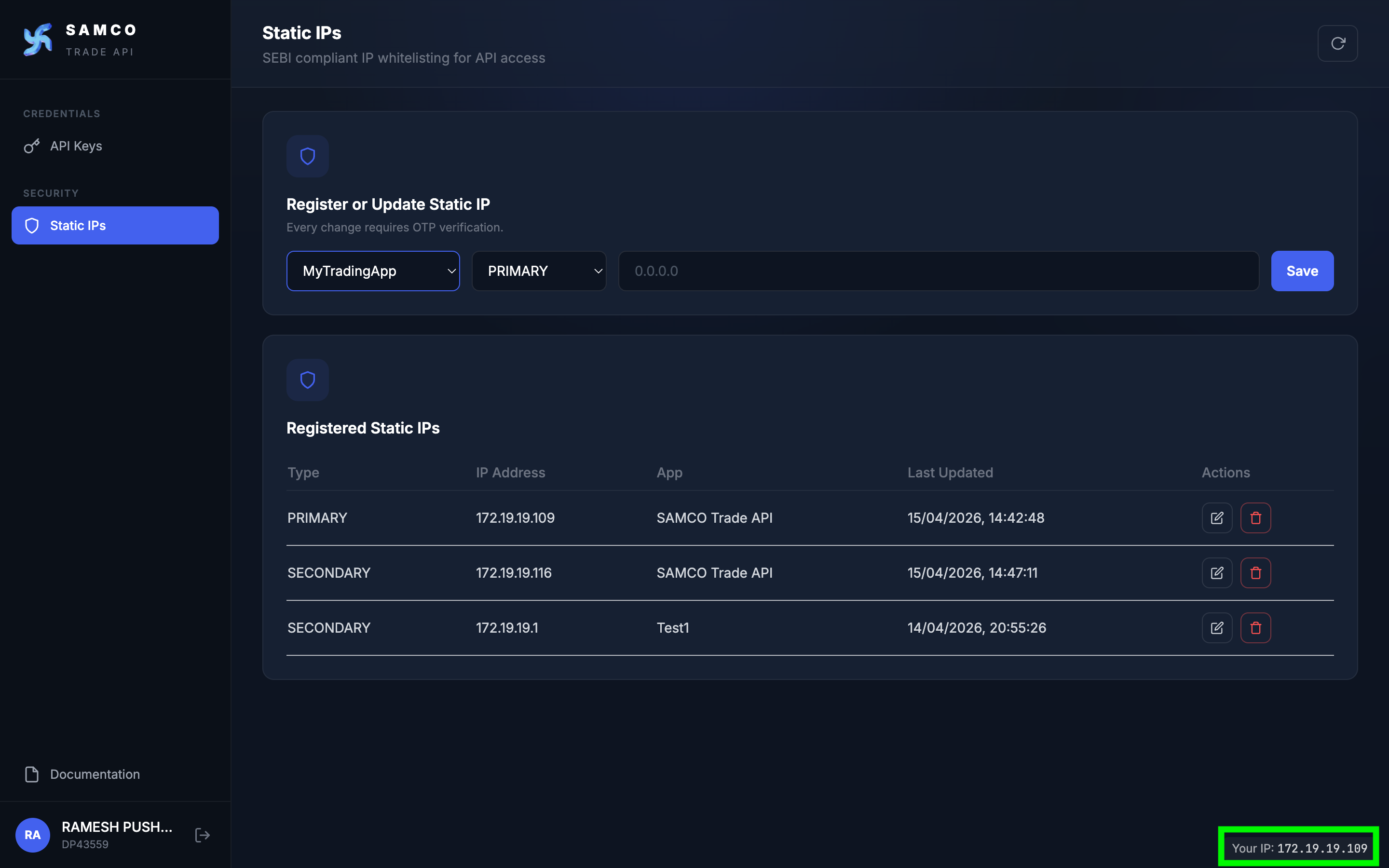
Updating an IP
- Click the Edit icon on an IP row.
- Enter the new IP address.
- Confirm with OTP.
The new IP takes effect immediately; the old IP stops working.
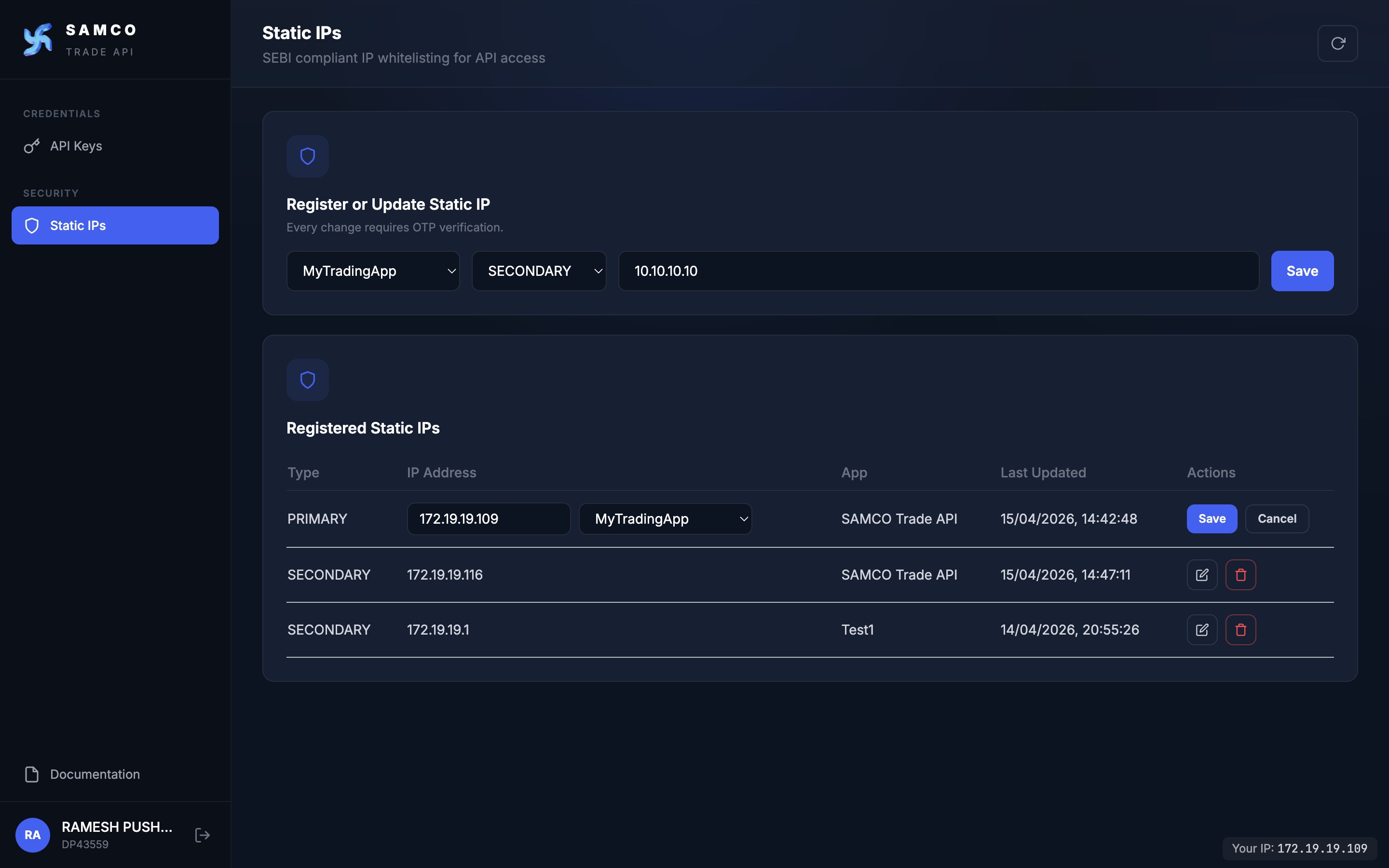
You can change an IP only once every 7 days
Per SEBI rules (Section A.6), you can change your IP once every 7 days from your last change — not per OAuth app, but across your entire SAMCO account. So if you change at 2:30 PM on Monday, you can change again at 2:30 PM next Monday.
While you are in the 7-day window, the Edit button is disabled. Hover over it to see the exact date and time when your next change becomes available.
Deactivating an OAuth app and creating a new one does not reset this clock — the 7-day count is per account, and the history is kept on file across all of your apps.
Re-using an IP that is already whitelisted on your account is free. Mapping an already-whitelisted IP (e.g. 203.0.113.42) to another of your OAuth apps is treated as re-use of an existing approved IP — it does not count as a new IP change, and the 7-day clock is not affected.
Removing an IP
Click the Delete icon on an IP row and confirm with OTP. The IP slot is cleared and the address becomes available again — either for you to register on a different app, or for another client to claim.
Deleting counts as an IP change
Deleting an IP counts the same as changing one (SEBI Section A.6). After deleting, you cannot register a different IP for any of your apps until 7 days have elapsed from the delete. Re-registering the same IP (yours or one already mapped to another of your apps) is still allowed.
You can also clear all IPs for an app at once by Deactivating the OAuth app (API Keys → Deactivate) — every IP attached to that app is released as part of the deactivation.
SEBI / NSE Compliance Reference
These rules implement SEBI circular SEBI/HO/MIRSD/MIRSD-PoD/P/CIR/2025/0000013 (4 Feb 2025) and the NSE implementation standards in circular NSE/INVG/67858 (5 May 2025), Annexure Section A.
Compliance requirements
- Whitelist-only order access — order-placement / order-modification API requests are accepted only from IPs you have whitelisted here. Open APIs are not permitted for order flow (SEBI Section I(d), NSE Section I(e)).
- 7-day cooldown — you can change an IP only once every 7 days from your last change. This applies across all your apps, including deactivated ones (NSE Section A.6 — "not more than once a calendar week"; SAMCO enforces this as a strict 7-day rolling window).
- Unique mapping — a static IP can be mapped to only one client at a time (NSE Section A.7). If the IP is already whitelisted to another SAMCO client, your request is rejected.
- Reuse within your account is allowed — the same whitelisted IP can be mapped to multiple of your own apps without counting as a new IP change.
- Primary and Secondary must each be valid public IPv4 addresses, and the two must be different addresses for the same app.
- Daily 8:00 AM logout — all API sessions are forcibly logged out every day at 8:00 AM IST, before the start of the next trading day (NSE Section A.8). You must reauthenticate via OAuth each trading day.